

Meta Business Suite: Ultimate 2026 Guide & Features

Introduction
Managing social media in 2026 requires a careful approach to maintaining your brand’s presence online. The Meta Business Suite 2026 was launched to give small businesses a central location from which they can manage their Facebook and Instagram accounts.
With 2+ billion active users per month on Facebook, must that businesses can respond quickly to customer inquiries and respond fast.
The Meta Business Suite 2026 provides businesses with the opportunity to streamline and publish content on both Facebook and Instagram, enabling them to do it approximately 30% faster than before.
Also to the new Creator Studio (described below), the Meta Business Suite 2026 also offers businesses and creators the tools necessary to manage their accounts and grow their businesses within the fast-paced economy using the Creator Studio’s streamlined process for delivering clear and concise messages.
This guide breaks down the features of the Meta Business Suite 2026 and provides tips for how small businesses can use the service more effective to build their businesses with confidence based on their improved ability to manage their social media accounts.
What is Meta Business Suite?
Meta Business Suite is one free app that combines all your Facebook, Instagram, and Messenger accounts. It eliminates the need to constantly switch back and forth between different platforms to check for notifications or publish content. Instead, everything you need is available in a single app; your very own command center.
Understanding how Meta Business Suite operates begins by linking your business/professional account with the Meta app. Once linked, you will have a single inbox that contains all messages and comments, as well as a single content planner that allows you to schedule posts across many platforms at once.
As of 2026, over 200 million businesses around the world use Meta Business Suite. The tool has taken over Creator Studio and allows for faster and easier ways for companies to connect to their target audiences online.
Key Meta Business Suite Features
The 2026 list of Meta Business Suite’s best features concentrates on speed and automation. Centralizing your tools will enable the platform’s unified inbox to process 50% more messages, which you can receive and respond to automatically. You’ll have access to immediate customer service without feeling overloaded.
| Feature | Best For… | Pro | Con |
| Planner (Calendar) | Visual Scheduling: See your entire month of posts at a glance. | Drag-and-drop ease; syncs FB & IG. | Limited to 75 days in advance. |
| Unified Inbox | Customer Support: Manage DMs, comments, and reviews in one spot. | Saves hours of app-switching. | Can feel cluttered during peak traffic. |
| Insights | Growth Strategy: Track reach, engagement, and audience data. | High-level data for free. | Less detail than Ads Manager. |
| Content Tab | Make and edit short-form videos with Reels & Stories. | Mobile-friendly; supports A/B testing. | No native trending audio on desktop. |
| Ads Center | Scaling: Quickly boost posts or create targeted campaigns. | Simplified for small businesses. | Lacks advanced professional tools. |
The Power of the Meta Business Suite Content Calendar
A content calendar in Meta is a perfect way to provide consistency for content creation. As an example, if you own a local bakery, you can spend some time on Sunday morning scheduling all of your Reels for the upcoming week. You can upload your video, write a caption for each post, and let Meta’s AI recommend a “best time to post” for each Reel. This means that your business can continue to be present on social media, even during the busiest times at your shop.
If you want to increase your organic reach, you can utilize the Planner’s “Optimal Times” feature. When compared to posting at random times, this function has been shown to increase organic reach by up to 20% by analyzing when your specific audience is most interested.
How to use Meta Business suite – Guide
Getting your digital command center ready takes little time to complete with more than 90% of users taking less than 10 minutes to do so. Use this easy-to-follow Meta Business Suite tutorial to get your company online as of 2026.
1. Log in and set up an account.
Visit [suspicious link removed] and log in using your own personal Facebook credentials. If you do not already have a professional Facebook account set up for your business, select ’Create Account’ after you enter your business name, email, and verify both to create an official Facebook business page.
2. Connect your business accounts.
Click the Settings button located near the top of the Page and select Business Assets from the left menu. From this area, you can link your professional Facebook and Instagram pages together.
Trouble-shooting: If you cannot see your business Page, check that you are listed as an administrator or that you have Full Control of this Page in the Page Setting.
3. Develop first posts or reels.
You can create your first post or reel quickly by selecting “Create Post” or “Create Reel” on the Home page.
- Choose platform (Facebook, Instagram, or both).
- Upload your photographs, add your captions, and include any applicable hashtags.
- You will be able to either publish immediately or schedule for “Optimal Time” based on your audience activity, using the Planner to do so.
4. Set up your first ad.
Go to the Ads section and select Create an advertisement. The “Boost a Post” option is the easiest option for someone who is brand new to advertising.
- Choose your advertising goal (for example, getting more messages or website visits).
- Select your audience using Advantage+ (Meta’s AI targeting).
- Choose your advertisement budget and time frame. After you have entered this information, select Promote Now.
Meta Business Suite Best Practices
To maximize Meta Business Suite advertising and organic reach, you need to go deeper than basic posting if you want to succeed in 2026. Analytics users experience a twofold increase in follower count over their non-analytics counterparts due to utilizing data to inform every decision they make.

1. Make sure to utilize Strategic Scheduling and A/B Testing
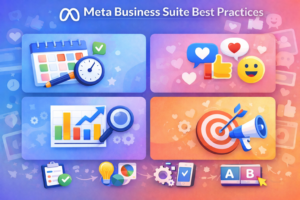
While it may seem best to post when you’re free, using the Planner to identify “Optimal Times” based on when your specific target audience is most engaged will increase the likelihood of reaching more people. Pair that with conducting Insights-driven A/B testing: create and run two different versions of your Reels or ads so you can determine which version’s “hook” will keep viewers watching for as long as possible. Adopting this “test-and-learn” method could result in your ad campaigns getting the best return on investment (ROI) possible, up to 25% higher than non-test campaigns will yield.
2. Use WhatsApp to Your Advantage
A fantastic way to drive your growth on Meta Business Suite will be by connecting your WhatsApp Business profile into your Suite. In 2026, customers expect immediate answers to their questions; therefore, if you use WhatsApp to respond to inquiries, you’ll achieve a significantly higher open rate (98%) than using traditional email to accomplish the same goal.
3. Daily Workflow List
Consistency is the driving force for Meta’s algorithms. Get ahead of your competition by doing these simple 10-minute daily tasks
Morning (3 minutes): Empty your Unified Inbox by responding to Direct Messages and comments so you keep your “Response Rate” high.
Midday (4 minutes): Review Insights to find out which of yesterday’s posts had the most Saves and Shares to know what type of content to create next.
Evening (3 minutes): Use your Planner to ensure tomorrow’s content will be completed and has the right hashtags/tags on it.
Meta Business Suite vs. Meta Business Manager
Despite having similar names, the purposes of both tools differ. The front-end dashboard, called the Meta Business Suite, provides a daily tool for small businesses in need of an easy solution (approximately 80% of all tasks will be completed easily with this tool). In contrast, the Meta Business Manager (often referred to as Business Management Portfolio) is a back-end management system that handles asset management complexities and maintains security.

| Feature | Meta Business Suite | Meta Business Manager |
| Best For | Solo creators, SMBs, and social managers. | Large agencies and enterprise teams. |
| Key Function | Daily posting, messaging, and scheduling. | Managing permissions, Pixels, and billing. |
| Interface | Visual, intuitive, and mobile-friendly. | Technical, detailed, and desktop-only. |
| Ads | Quick “Boosted” posts for easy reach. | Advanced Ads Manager for deep targeting. |
Meta Business Suite SEO and Growth Impact
The connection between the use of social signals and how a business can grow in 2026 is strong. Even though social media doesn’t directly impact your Google rankings under ‘Blue Links’, when you utilize Meta Business Suite to determine how well you are able to generate ROI from marketing, you will create a great “Halo Effect” by driving more high-quality visitors to your site, thus increasing ‘Dwell-time’ & “User Engagement”; both of which are factors that Search Engines do use to assess the value of your website. Brands that actively track their performance using Meta Business Suite see an increase of 35% in ‘User Engagement’ by doubling down on Content that Data indicates is Working.
Maximizing Growth with Data
The “Secret Sauce” for businesses growth in 2026 will be the integration of the Meta Pixel, Conversions API (CAPI), and the their setup directly within the Suite. This integration will allow you to bridge the gap from a “Like” on Instagram to a “Purchase” on your website.
Increased Conversion Clicks: Data shows that when using “Boosted Posts” via the Suite, that you will receive 20% more Clicks due to the ability of the AI’s to understand more directly, not just which impressions are performing to scroll, but also which are actually likely to take Action.
Smart Retargeting: When tracking the performance of your campaigns you can create Lookalike Audiences. If your best customers are found to be “Eco-friendly Parents in New York”, you can now have a direct way to allocate your Budget to 1 Million more customers that match their profile.
Conclusion
The key to growing your business without the manual exhaustion is mastering the Meta Business Suite (previously Facebook Business Manager) in 2026. With unified management of your Facebook and Instagram accounts you’re in complete control of your digital presence – meaning you can publish content more quickly and accurately respond to customers. As more Meta updates come, expect deeper integration with AI technologies and even more automated targeting will help your business grow on its own.
Are you ready to crush social media in order to streamline your processes? Contact AGTC today and schedule your first campaign to achieve success as the experts in this field manage the strategy for you. What have been your biggest victories in the past? Leave them in the comments below along with joining a network of other businesses doing the same thing!
FAQ
What is Meta Business Suite used for?
It is a unified dashboard designed to manage all Facebook, Instagram, and Messenger activities from one place. This makes it ideal for small businesses looking to streamline their posting, messaging, and advertising.
Is Meta Business Suite free?
Yes, the core management tools like the planner, inbox, and analytics are completely free to use. You only pay if you choose to run paid advertising campaigns or boost posts.
How do I access Meta Business Suite?
You can log in via desktop at business.facebook.com or download the mobile app for management on the go. Simply connect your Facebook Page and Instagram professional account to begin.
Does Meta Business Suite replace Business Manager?
No, they serve different roles: Suite is for daily social media tasks, while Business Manager handles complex back-end assets and permissions. Use the Suite for content and the Manager for advanced technical control.
Can I schedule posts in Meta Business Suite?
Yes, the Planner tool allows you to schedule posts, Stories, and Reels weeks in advance. It even suggests “Optimal Times” based on when your audience is most likely to be online.
What analytics are available in Meta Business Suite?
The Insights tab tracks key metrics like reach, engagement, and audience demographics for both platforms. You can export these as reports to see exactly what content drives your business growth.
Can I run ads through Meta Business Suite?
Yes, it features a built-in Ads Center where you can boost posts or create targeted campaigns with ease. It uses AI-driven tools to help you reach the right audience and improve your marketing ROI.